How to Install Agent Skills Easily Using add-skill package

Agent Skills are reusable capabilities that AI agents can apply automatically when a request matches the skill’s description.
It was first introduced by Anthropic and lot of other IDEs/AI agents has started adopting it.
One problem with adoption is that every tool expects it to be on a different directory and things which makes it hard to share it.
| App | Path Format |
|---|---|
| OpenCode | .opencode/skill/<name>/ |
| Claude Code | .claude/skills/<name>/ |
| Codex | .codex/skills/<name>/ |
| Cursor | .cursor/skills/<name>/ |
| Amp | .agents/skills/<name>/ |
| Antigravity | .agent/skills/<name>/ |
But thanks to Vercel team’s new tool add-skill, we can easily add Agent Skills across multiple apps using just git repo.
How to use it?
npx add-skill <git-repo>
Like this
npx add-skill https://github.com/vercel-labs/agent-skills
Or something like this for GitHub shorthand
npx add-skill vercel-labs/agent-skills
Vercel team has released add-skill npm package using it you can easily install Agent Skills using git repo.
Currently it supports OpenCode, Claude Code, Codex, Antigraviry and Cursor.
And there are open PRs to support other AI agents as well.
How to use it?
npx add-skill <git-repo>
Like this
npx add-skill https://github.com/vercel-labs/agent-skills
Or something like this for GitHub shorthand
npx add-skill vercel-labs/agent-skills
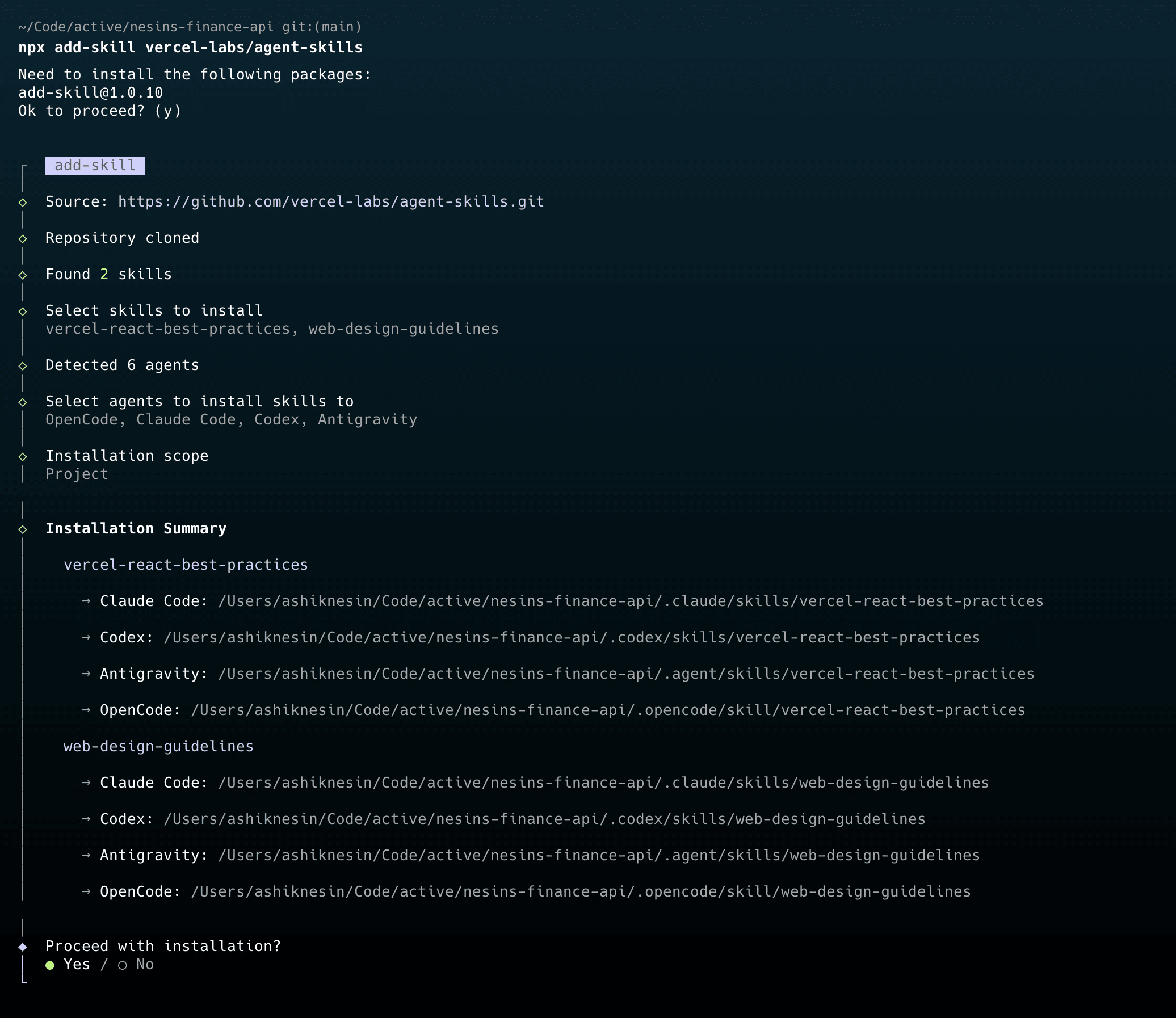
One thing that I like about it it’s DX for example, it’ll auto select the agents (based on AI agents like Claude Code, Codex, etx that you’re already using)