How to use Doppler CLI in Google Jules

Google Jules is a cloud based coding agent where you can just select your repo, assign some task and it’ll do the job in the cloud.
It’ll have it’s own sandbox env where it can install packages, run test.
And you can interact with the AI agents to steer it to whatever you want. Once everything is done, it’ll create a PR in your repo with those changes.
I’ve started using Doppler to manage my env variables. And whenever dev server starts or for db migration it uses doppler run -- command which injects my env variables to the running process.
Thankfully, Google Jules lets us use run custom script for sandbox env. We can use that to install the doppler CLI so that when the AI agents runs doppler cli, it’ll work as expected.
All you need to do is add the following CLI installation script in the custom script
(curl -Ls --tlsv1.2 --proto "=https" --retry 3 https://cli.doppler.com/install.sh || wget -t 3 -qO- https://cli.doppler.com/install.sh) | sudo sh
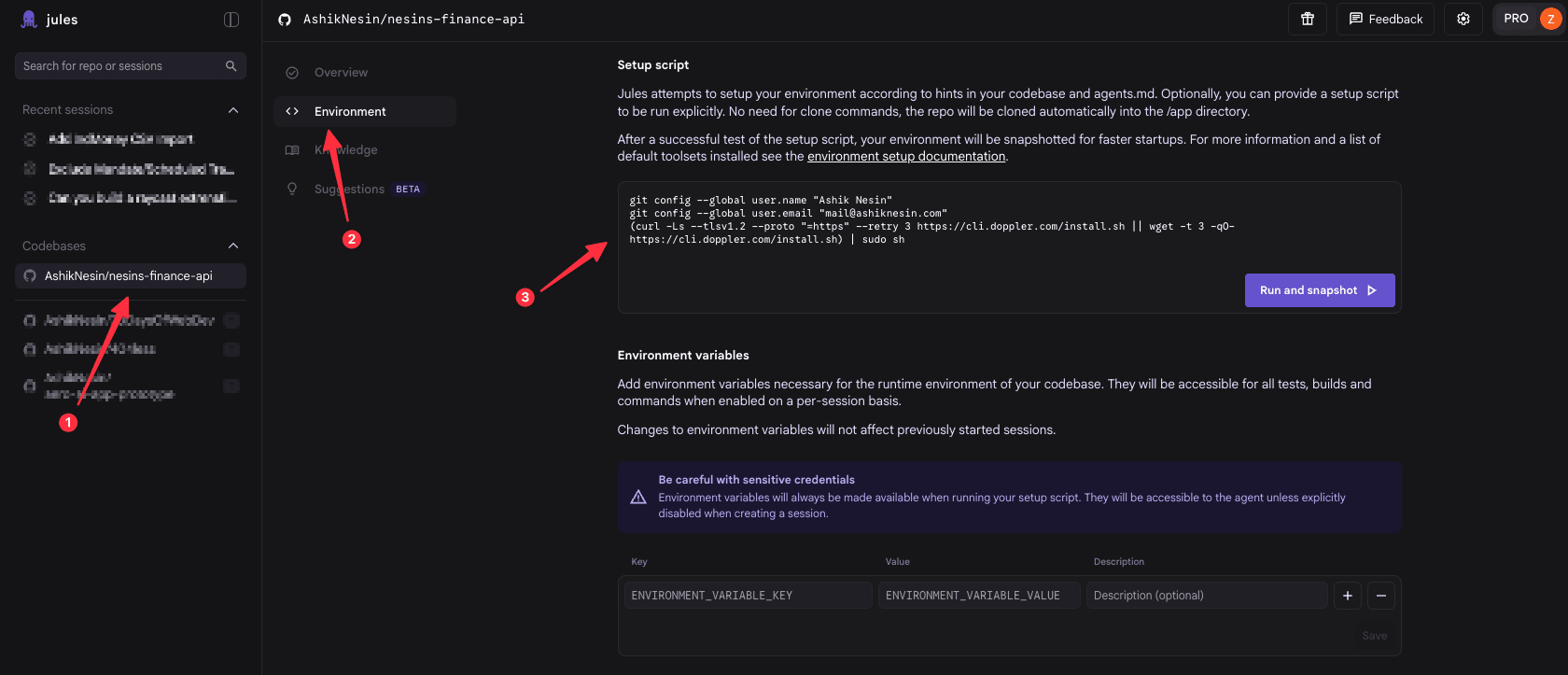
And also add the DOPPLER_TOKEN env in the settings as well.
That’s pretty much it. doppler cli will works as expected.
Reference
https://docs.doppler.com/docs/install-cli
Happy background coding!