
How to use GLM-5 in Claude Code
The latest model from z.ai - GLM-5 just got release. As per the benchmark it is as good as Anthropic Opus 4.5.
Even though there is no official annoncement yet, you can access it via API
And so, we can use it in Claude Code as well.
Once you’ve installed Claude Code. You need to modify the ~/.claude/settings.json file
{
	"env": {
		"ANTHROPIC_AUTH_TOKEN": "your_zai_api_key",
		"ANTHROPIC_BASE_URL": "https://api.z.ai/api/anthropic",
		"API_TIMEOUT_MS": "3000000",
		"ANTHROPIC_DEFAULT_HAIKU_MODEL": "glm-4.5-air",
		"ANTHROPIC_DEFAULT_SONNET_MODEL": "glm-5",
		"ANTHROPIC_DEFAULT_OPUS_MODEL": "glm-5"

	}
}
Note: GLM Coding Plan pricing page mentions that glm-5 is available only on Max plan (at least for now).
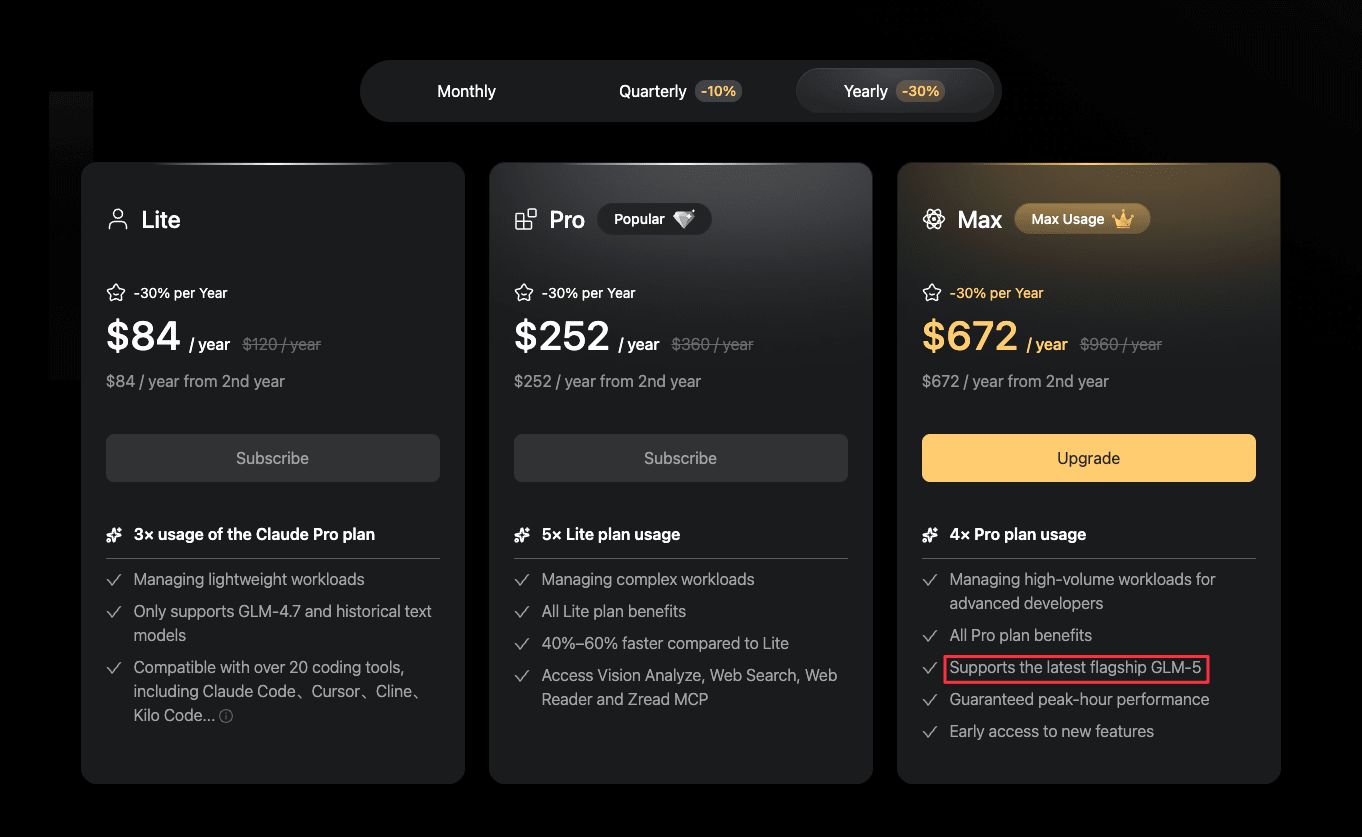
Reference
#Claude-Code #Glm-5 #Glm-Coding-Plan
