How to use GLM-5 in pi.dev Coding Agent

pi.dev is the minimal but heavily extensible coding agent that OpenClaw. I really like it’s simplicity.
It has out of support for using your AI subscription like ChatGPT, Anti Gravity IDE, etc
However it doesn’t have support for GLM Coding plan yet but you can configure it manually.
Replace baseUrl with https://api.z.ai/api/paas/v4 if you want to use standard (pay per use) API billing.
{
  "providers": {
    "zai": {
      "baseUrl": "https://api.z.ai/api/coding/pass/v4",
      "api": "openai-completions",
      "apiKey": "ZAI_API_KEY",
      "compat": { "supportsDeveloperRole": false, "thinkingFormat": "zai" },
      "models": [
        {
          "id": "glm-5",
          "name": "GLM-5 (GLM Coding Plan)",
          "reasoning": true,
          "input": ["text"],
          "cost": {
            "input": 0.15,
            "output": 0.6,
            "cacheRead": 0,
            "cacheWrite": 0
          },
          "contextWindow": 128000,
          "maxTokens": 4096
        }
      ]
    }
  }
}
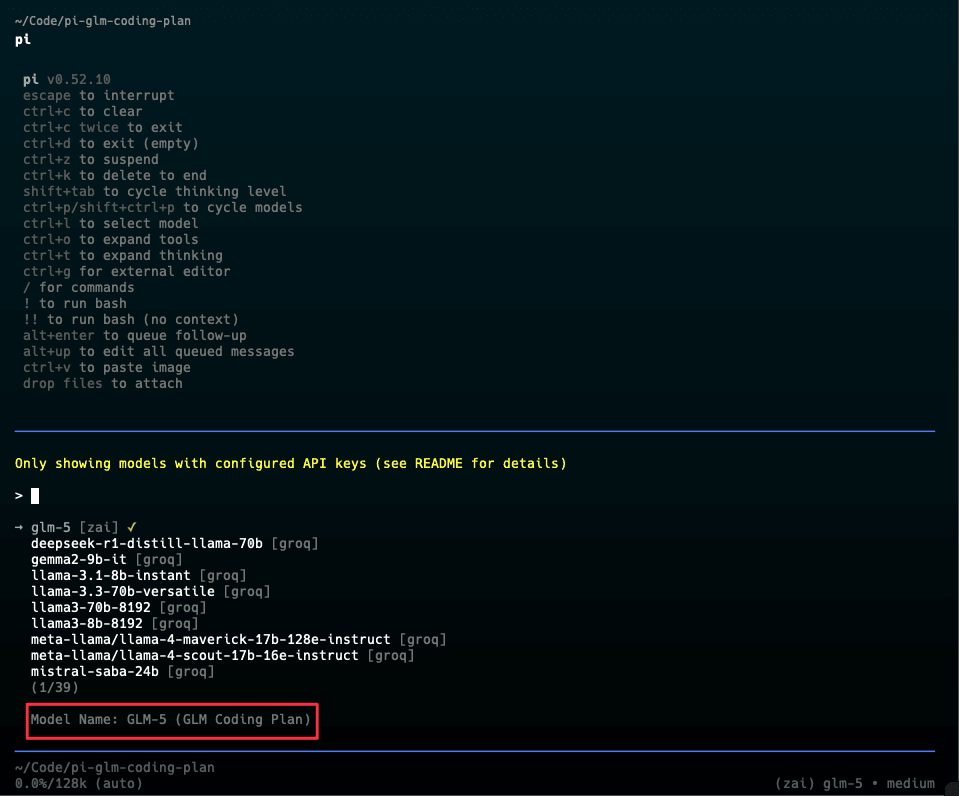
Once you’ve configured it, you should not be able to see glm-5 in your pi agent now in /model command. If it doesn’t show up then try running /reloadcommand.