How to Copy Chrome Console Logs for LLM

When I encounter an issue while building web app, I usually take screenshot of it and share it with LLM.
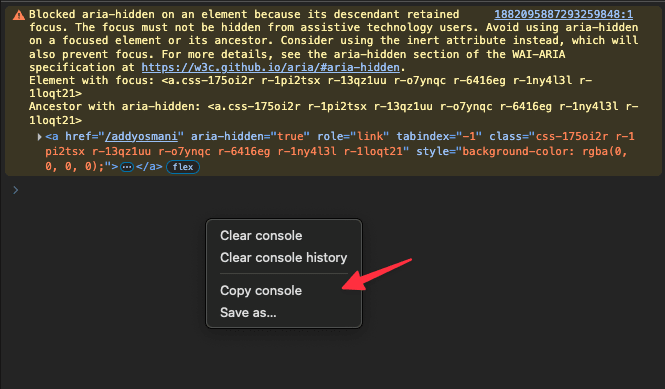
Apparently, Google Chrome (+ chromium forks) browser has support for Copy console which you can use it.
Just right click on the console and copy it.
In fact, it might be a good choice than just sharing screenshot in LLM since it good at parsing texts than images.
Happy copying logs!