How to use GLM Coding Plan in exe.dev's Shellye Agent

Recently, I’ve been playing around with exe.dev. It’s a pretty good VM (+ sandbox) with persistent storage, etc.
And I really like their Shelley Agent
Shelley Agent is actually open source and your can install it using something like homebrew
brew install --cask boldsoftware/tap/shelley
Or direct binary itself.
And Shelley has a way to add custom LLM as well.
How to configure custom LLM?
Head over to Shelley. It’ll be usually https://your-vm-name.shelley.exe.dev
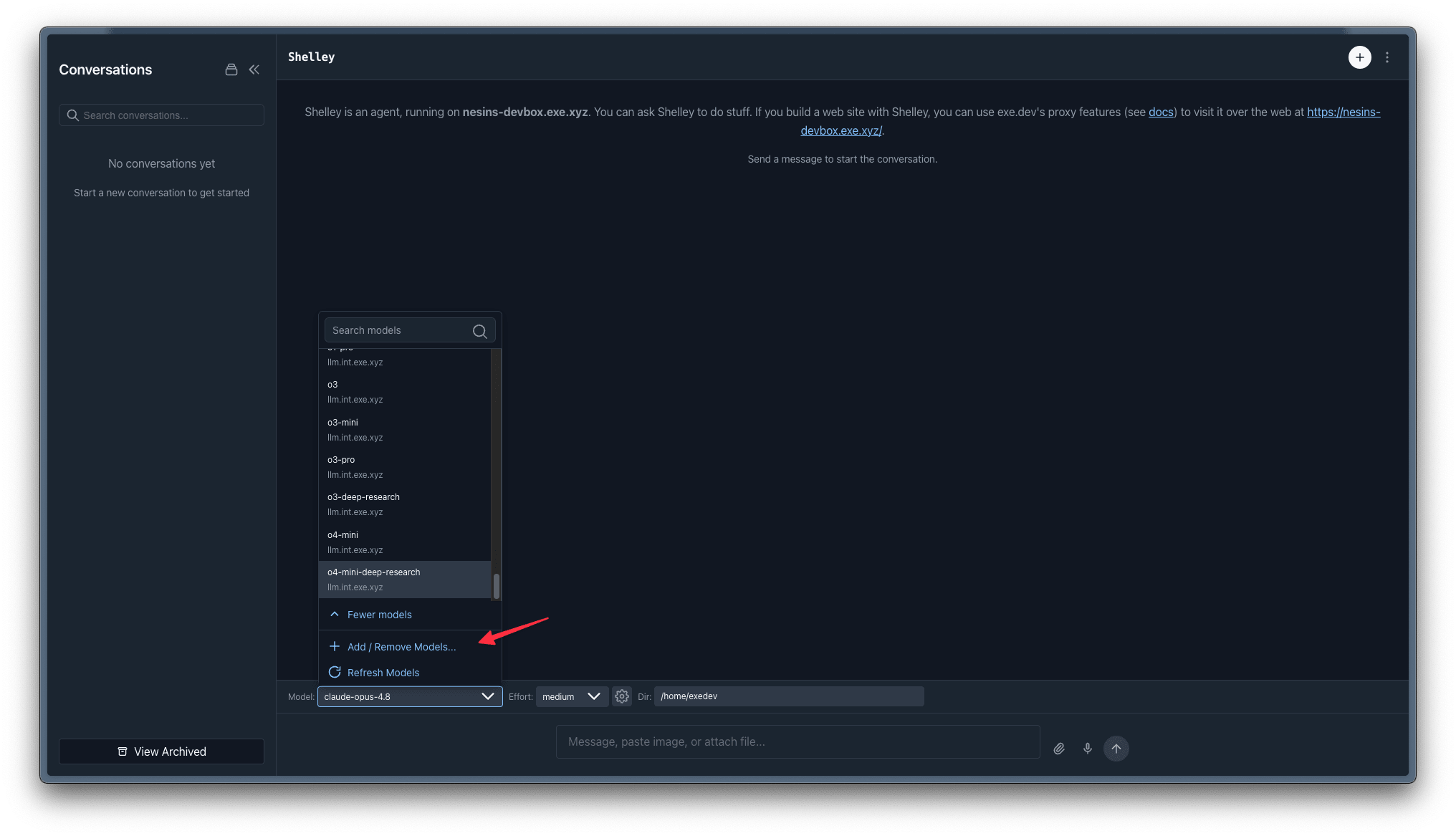
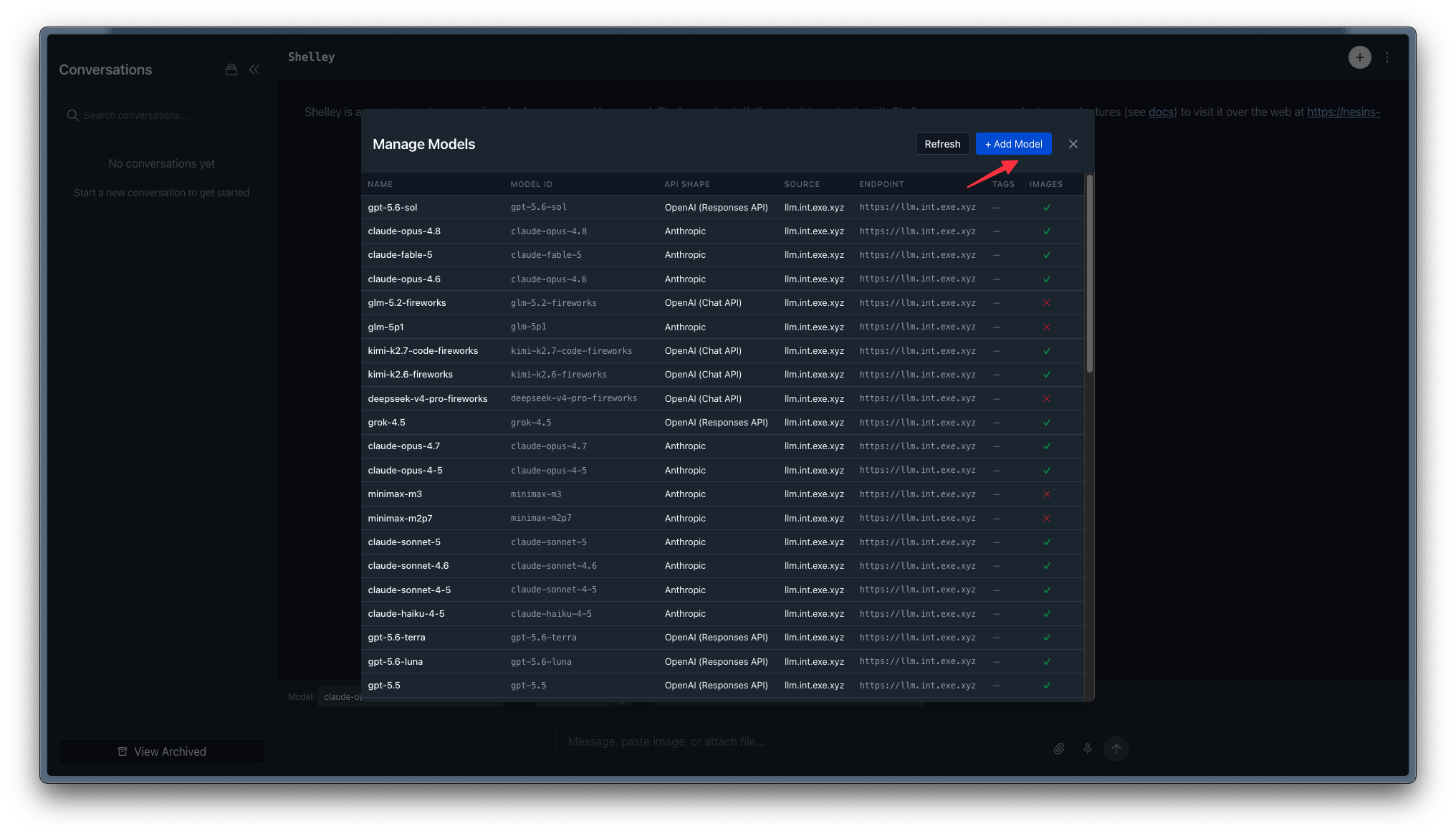
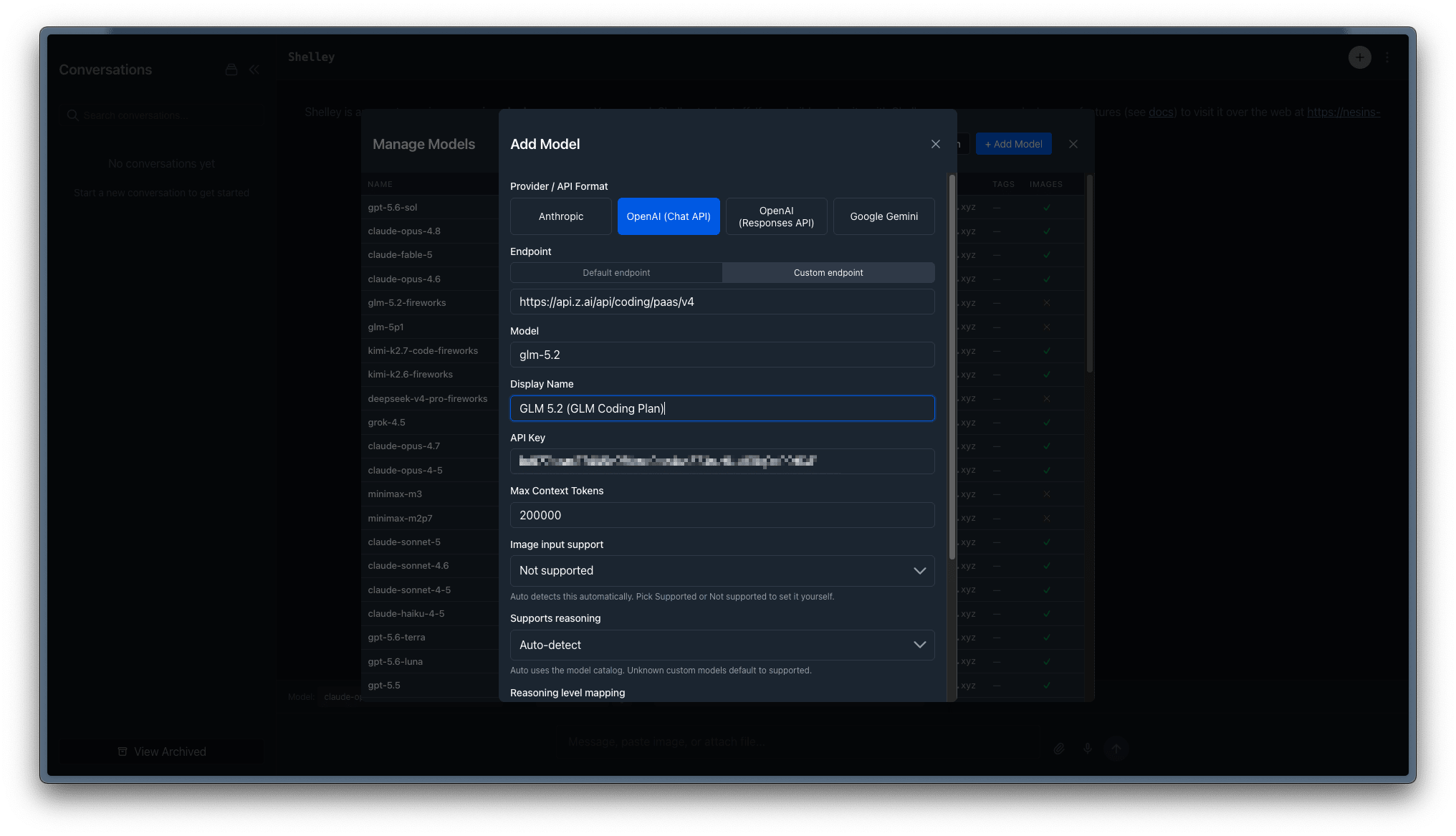
Choose OpenAI (Chat API) and enter the API base and API key
https://api.z.ai/api/coding/paas/v4
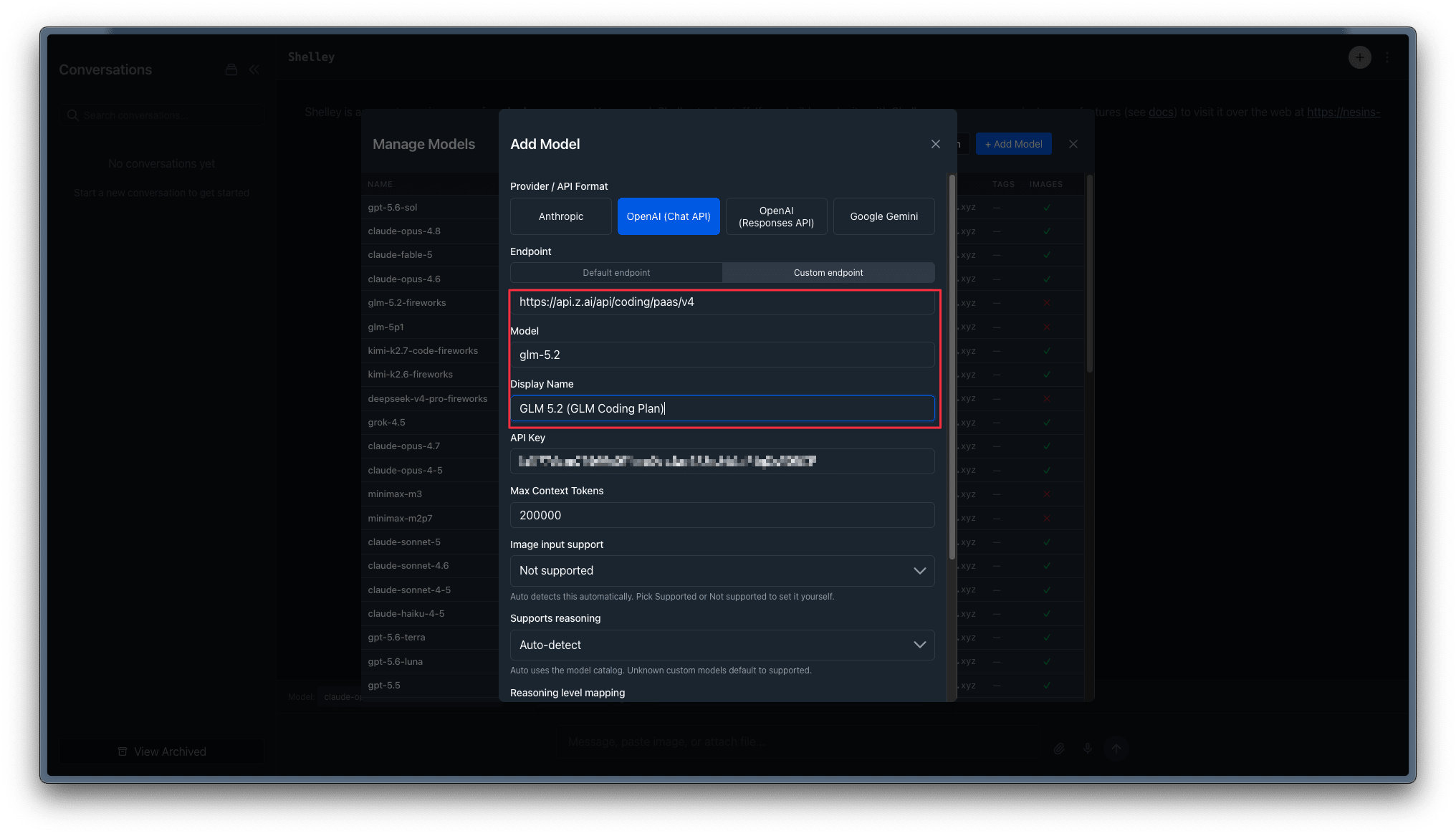
Make sure to configure Image input support as false.
Once that is done, you can test it to make sure the connection is done properly and save it.